How to set up Happy Lighting(Complete manual)
When you use it for the first time or never pair it after moving the device, please follow the following steps:
- First, please enter your phone settings, open the Bluetooth.
- The second thing to do is open the Happy Lighting app, the app will automatically connect to the BLUE light.
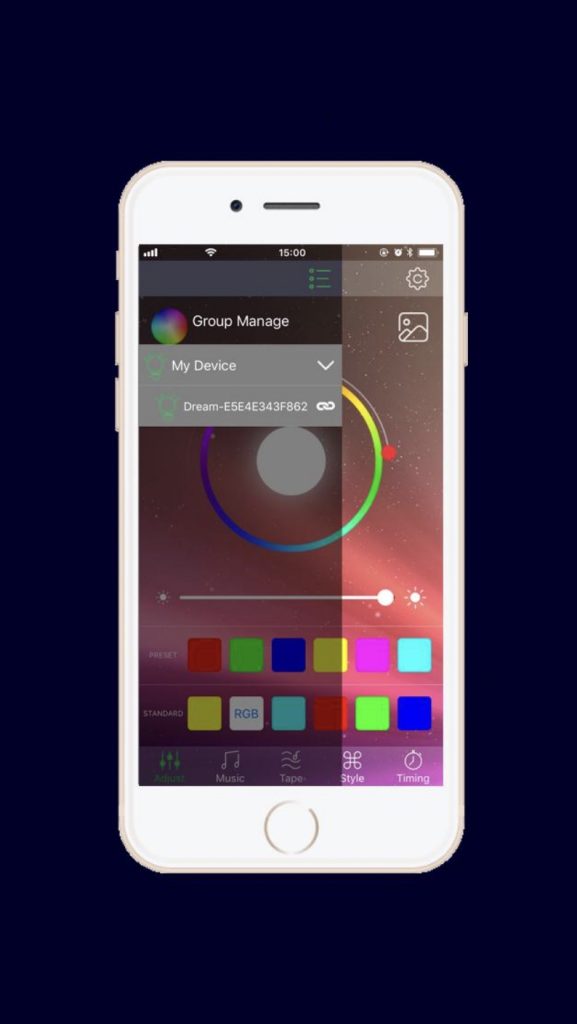
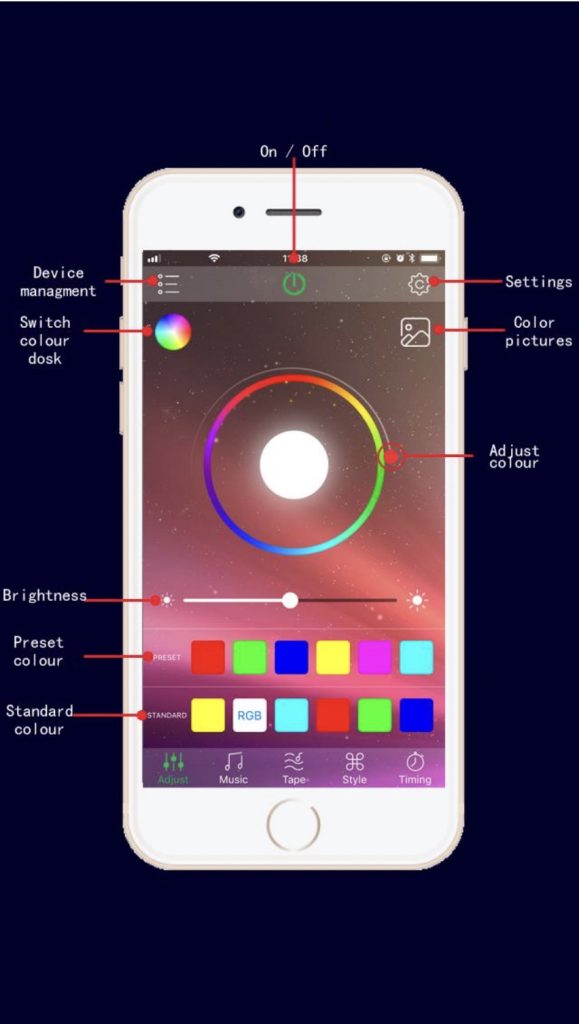
Main User Interface
Adjust: Change the RGB LED color and White LED bright.
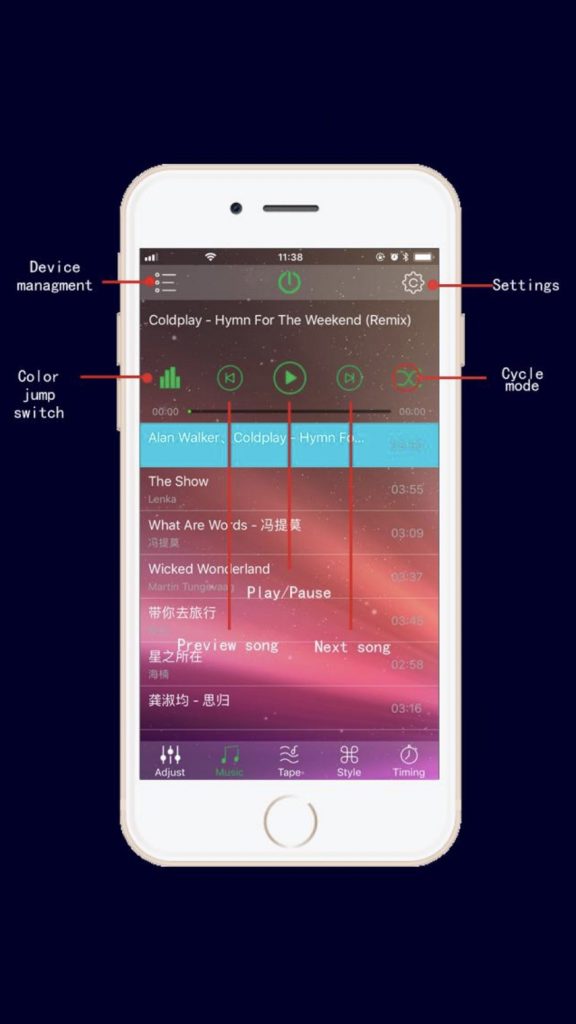
Play music and change RGB LED colour to the rhythm of the music
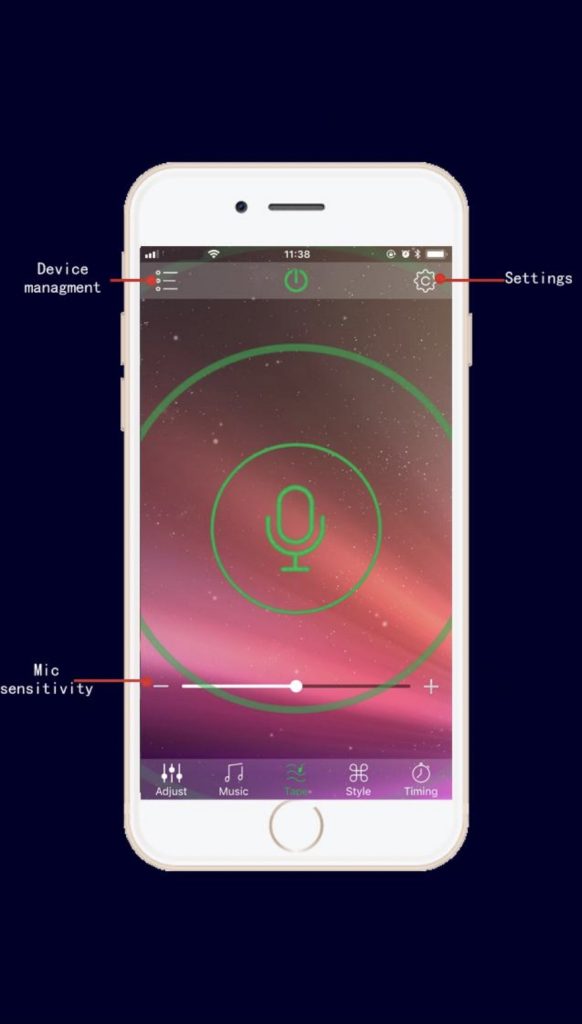
Change RGB LED color by phone microphone input voice rhythm.
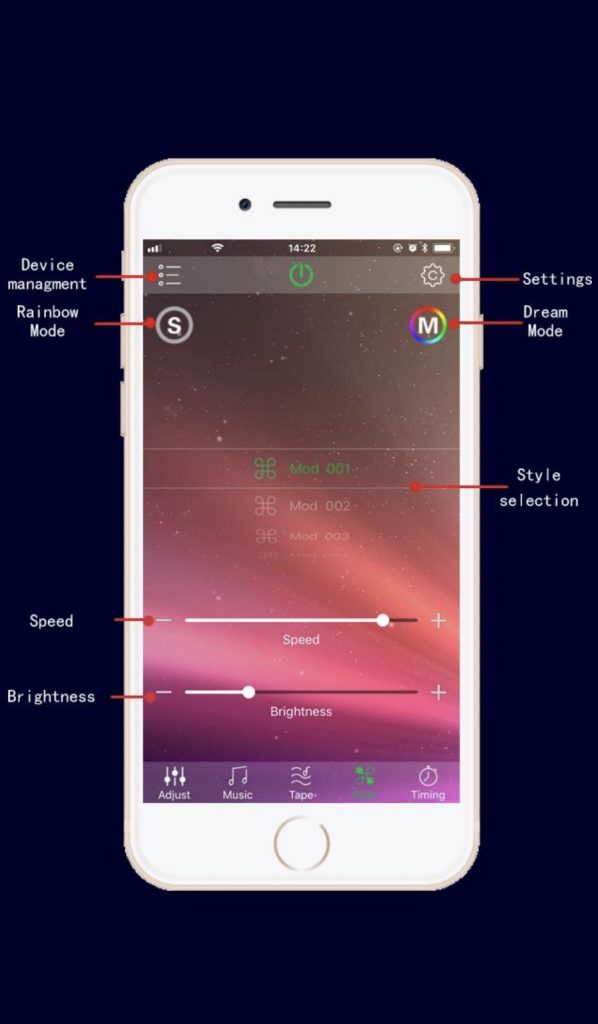
Change RGB LED color by fixed model
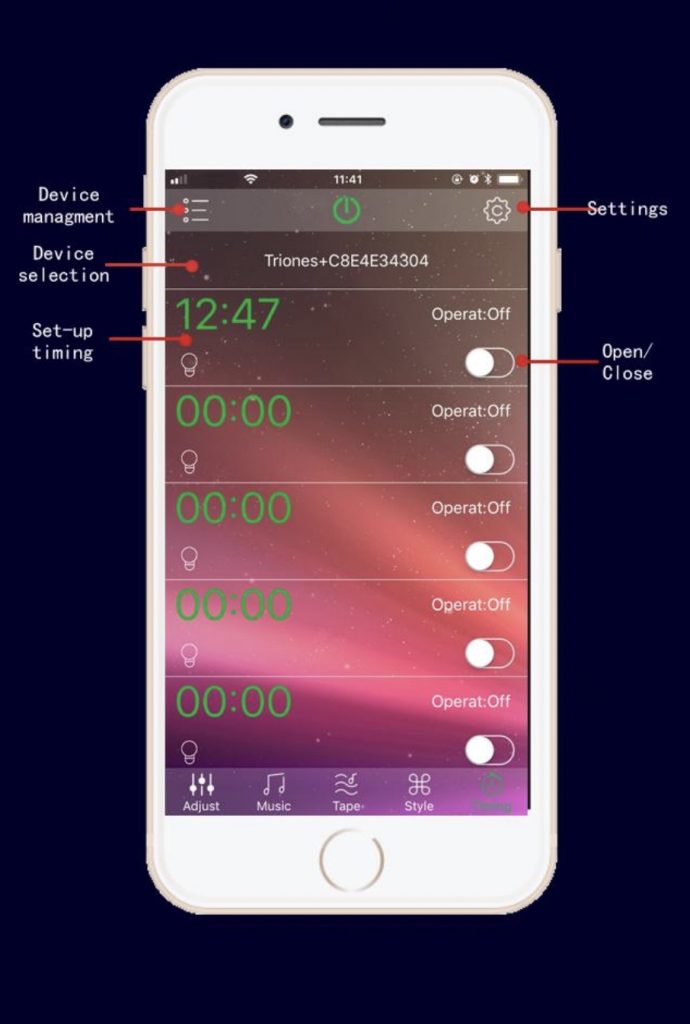
Timers, auto ON/OFF.
Change RGB LED color by shake the phone.
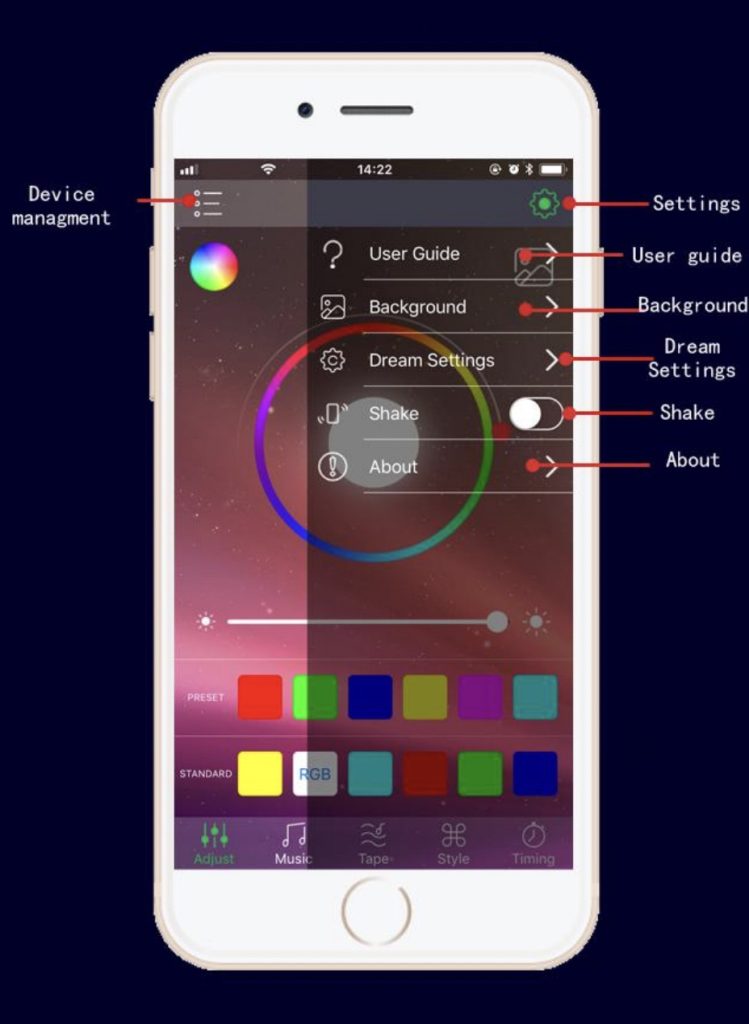
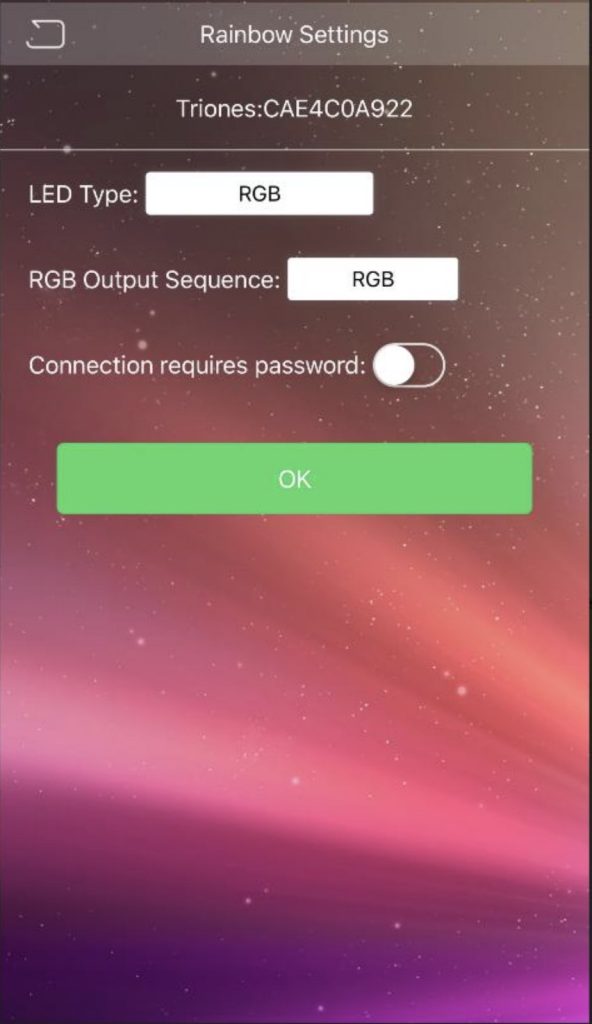
If you have the dream function, you can set the LED type, RGB output sequence, style loop, LED quantity.
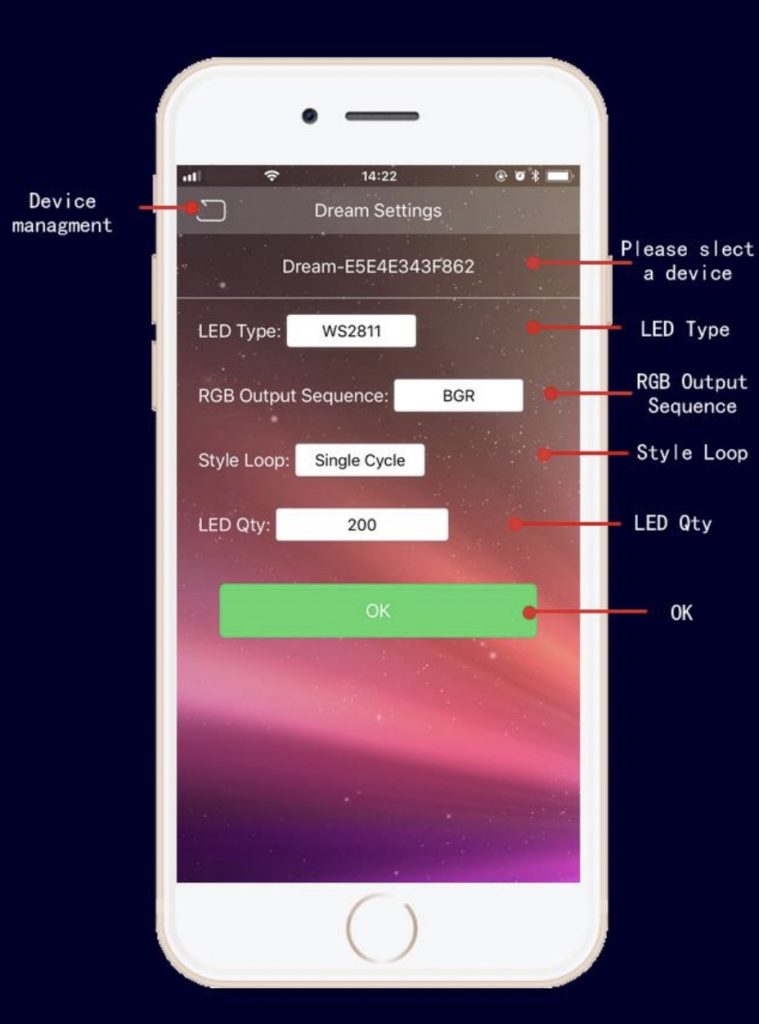
If you have the rainbow function, you can set the LED type, RGB output sequence, connection requires password.